

Admin dashboards are essential to business operations, providing real-time analytics and streamlined controls for management teams. As design trends evolve, so do the expectations for usability, performance, and aesthetics. Staying up to date on the latest developments is crucial to delivering the engaging, efficient experiences users demand. For designers and teams seeking inspiration in admin dashboard UI design, these trends offer vital insights and benchmarks.
Admin dashboards are more than just data hubs; they drive decision-making, boost productivity, and support collaboration across organizations. As users interact with vast amounts of information daily, intuitive design ensures complex data is both comprehensible and actionable. The shift towards personalized, adaptive interfaces reflects how businesses want dashboards not just to track but also to predict and optimize workflows. Organizations are now prioritizing accessibility, efficiency, and engagement.
Embracing cutting-edge UI trends enables businesses to maintain a competitive edge, enhance user satisfaction, and improve operational performance.
Leveraging modular designs, mobile optimization, and AI-powered features, modern dashboards deliver a tailored and user-focused experience. Exploring the latest developments in admin dashboard UI reveals the impact of technology and design thinking on productivity tools. Companies that stay ahead of these trends are better positioned to adapt as user expectations shift and technology continues to advance.
AI-Powered Personalization

Artificial intelligence is transforming admin dashboard experiences. AI-driven dashboards can anticipate user needs, recommend relevant data, and automate tasks based on historical behavior. For example, if a sales manager focuses on monthly revenue metrics, AI ensures these metrics are highlighted or prioritized. Predictive analytics further empowers dashboards to spot trends, outliers, and opportunities, giving users a decisive edge in strategy and execution. By tailoring information and actions, AI-powered personalization drives both efficiency and satisfaction. The adoption of AI is not just a trend but a strategic advantage. According to Forbes, AI integration in enterprise tools is set to accelerate productivity and improve workforce decision-making in the coming years, underlining its critical role in dashboard design.
Minimalist Design
Simplicity lies at the core of effective modern dashboards. A minimalist approach removes unnecessary clutter, allowing users to focus on what matters most. Clean layouts, clear typography, and logical information grouping help users quickly interpret and navigate data. Minimalism also reduces cognitive load, lowering the risk of errors while speeding up decision-making. Implementing these principles ensures that vital actions and insights stand out, preventing users from feeling overwhelmed by excessive features or information.
Dark Mode and Custom Themes
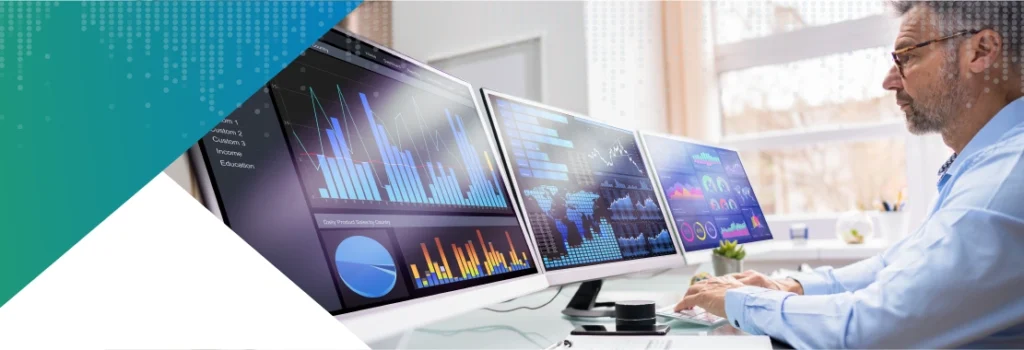
Dark mode has shifted from a trend to a standard in UI design. It addresses user comfort by reducing eye strain during extended sessions and offers an appealing look favored in modern interfaces. Beyond dark mode, custom themes invite users to personalize the dashboard’s color palette, font style, and layout. This flexibility is optimized both for usability and inclusive design, ensuring dashboards are accessible and appealing to all, regardless of visual preferences or accessibility needs.
Interactive Data Visualization
- Interactive data visualizations transform raw information into engaging, actionable insights.
- Users can drill deeper into trends, filter charts in real time, and manipulate visual elements for more granular analysis.
- This level of interactivity turns data into a conversation, making it easier to identify opportunities, investigate anomalies, and react proactively.
- Features such as real-time refreshes and animated transitions guide users through data stories, supporting in-depth analysis without overwhelming users with static tables or charts.
Mobile Optimization
Mobile access to admin dashboards is no longer optional. Responsive, mobile-first design frameworks guarantee users can manage, monitor, and collaborate from any device, whether in the office, at home, or on the road. This flexibility drives continual productivity and keeps stakeholders engaged in critical decisions. Effective mobile optimization goes beyond resizing elements; it reorganizes the layout, simplifies navigation, and prioritizes quick access to frequently used features.
Modular Components and Templates

The modular design approach empowers users to create custom dashboards using drag-and-drop widgets, cards, and pre-built templates. This flexibility suits a wide range of industries and teams, from sales and marketing to IT and finance. By enabling non-technical users to personalize layouts and functionalities, modular components democratize dashboard building. This adaptability accommodates varying workflows and preferences, helping users build interfaces that work the way they do.
Progressive Disclosure
To combat information overload, progressive disclosure reveals information incrementally. Basic summaries and critical data display first, with opportunities to explore more detailed or advanced options as needed. This technique preserves dashboard simplicity while ensuring comprehensive information is always an option. Users benefit from clarity and focus, discovering more depth only when necessary, which maintains engagement and prevents fatigue.
Conclusion
Modern admin dashboard UI trends reflect a rising demand for intelligent, flexible, and user-centric experiences. By embracing AI, minimalism, customization, interactivity, mobile optimization, modular design, and thoughtful information hierarchy, organizations position themselves for continual success. Staying current with these trends ensures dashboards remain powerful business tools that deliver value, efficiency, and insight while improving overall user experience.

