


Key Takeaways
- A certified smart thermostat cuts heating and cooling costs by about 8%, or roughly $50 a year, according to ENERGY STAR.
- Standby power can cost a household up to $100 a year, and smart plugs pay off only where several devices sit idle together.
- A smart lock is worth the money once its default password is changed and automatic updates are switched on.
- The ENERGY STAR label and the U.S. Cyber Trust Mark both show a device was tested against a published standard.
- Reset every device and remove your accounts before you sell the house.
Walk into any electronics store and the smart home shelf will offer you a speaker that orders groceries, a mirror that shows the weather and a bulb in sixteen million colors. Few of those will lower a bill. Fewer still will stop a burglar.
With a limited budget, two jobs deserve the money before anything else. Cutting energy waste comes first, because heating, cooling and idle electronics cost you every single month. Locking the doors on your behalf comes second. The rest can be bought later, when the essentials are paid for.
Which Smart Device Should You Buy First If You Can Afford Only One?
Buy the thermostat. Heating and cooling make up nearly half of a typical American home’s energy bill, and a smart model trims that share every day without anyone touching it.
ENERGY STAR measured the effect in real homes over full heating and cooling seasons. Its smart thermostat FAQ gives the average result as about 8% off heating and cooling bills, or near $50 a year. Households in places with hot summers and cold winters generally do better than that.
Most of the saving comes from setbacks. According to the Department of Energy, dropping the temperature 7 to 10 degrees for eight hours a day can save as much as 10% a year on heating and cooling. Few people remember to do it by hand every morning, whereas the thermostat does it on schedule, or as soon as it senses an empty house.
Starting Settings Recommended By The Department Of Energy
HouseLogic, quoting the department, suggests 68°F on winter days and 78°F on summer days while someone is home, with the heat turned down by 10 degrees or more overnight and during working hours.
A Heat Pump Needs A Matching Thermostat
Heat pump owners ought to read the box carefully. The Department of Energy warns against large setbacks on a heat pump unless the thermostat was built for one. Pick a model that lists heat pump support by name.
Standby Power Costs Up To $100 A Year, And Smart Plugs Can Cut Part Of It
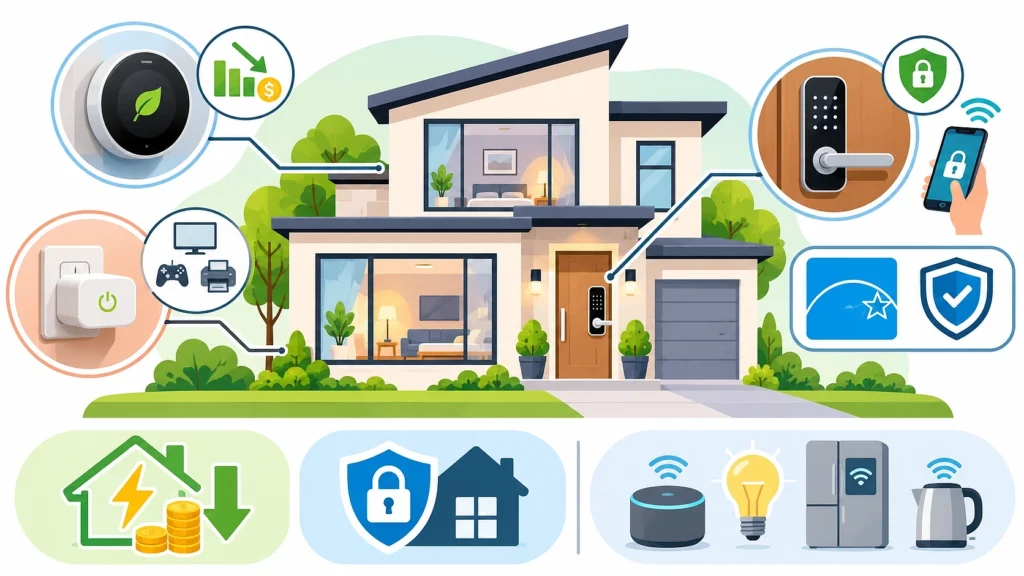
Your television is never quite off. Neither is the cable box, the printer or the game console, which wait in standby for the next command. The Department of Energy says standby power accounts for 5% to 10% of residential energy use, costing an average household as much as $100 a year.
A smart plug or a smart power strip ends that draw by cutting the socket on a timer or when the main device shuts off. The plug earns its price only where several gadgets idle together. A single lamp on a nightstand uses so little when switched off that a plug there will never pay you back.
Good places to start:
- the entertainment unit, with its TV, cable box and sound bar.
- a games corner.
- the home office, where a monitor, printer and speakers stay plugged in overnight.
An inexpensive plug-in energy monitor shows how many watts each device pulls in standby. Test before you buy, so the plugs go only where the meter says they should.
Your Front Door Can Lock Itself Once You Fit A Smart Lock
We have all turned the car round to check a door that turned out to be locked. With a smart lock, a glance at the phone answers that worry. You can also set the bolt to slide home a few minutes after you leave, or give a cleaner a code that stops working on Friday. An agent quoted in the National Association of Realtors’ guide to keeping your smart home secure recommends a lock that lets homeowners grant guest access and see door activity from their phone.
Four Settings To Change The Day It Goes In
A hacked lock opens your house to strangers, so set it up with care before you rely on it.
- Change the default password and PIN.
- Switch on automatic updates for the lock, its app and your Wi-Fi router.
- Use a long password for the lock’s account and keep it for that account alone.
- Delete guest codes as soon as the visitor no longer needs them.
Automatic updates head Consumer Reports’ list of ways to lock down smart home devices. As its test engineer put it, “There is no perfect smart device that is secure forever.”
Plan For A Flat Battery Or A Lost Phone
Pick a lock with a keypad or a backup key cylinder. Replace the batteries when the app first warns you, and keep spares near the door.
Two Labels On The Box Show That A Device Has Been Tested
ENERGY STAR For Savings
An ENERGY STAR smart thermostat has had its savings checked against field data from real homes by an independent certification body. Without that label, the savings figure printed on a box is just the maker’s own claim.
The U.S. Cyber Trust Mark For Security
This shield appears on connected products that meet a baseline cybersecurity standard. The White House launched the program in January 2025, and its Cyber Trust Mark announcement lists products such as security cameras and smart appliances among those that can carry it. Manufacturers join by choice. A device without the mark may well be secure, though a device with it has passed a published test.
Gadgets That Only Save You A Few Steps Can Wait For A Bigger Budget
A kettle you can start from bed is pleasant on a cold morning. So is a fridge that shows you its contents on a screen. Yet neither one lowers a bill or protects the house, and each adds another app to update and another account that could leak a password. Before paying for any of them, ask three questions of it. Does it cut energy use? Does it make the home safer? Does it take over a chore you genuinely hate? If the answer is no every time, put it on a wish list and come back to it once the thermostat and the lock are paid for.
Moving House Or Fixing A Smart Appliance Raises A Few Practical Questions
What Buyers Notice When You Sell
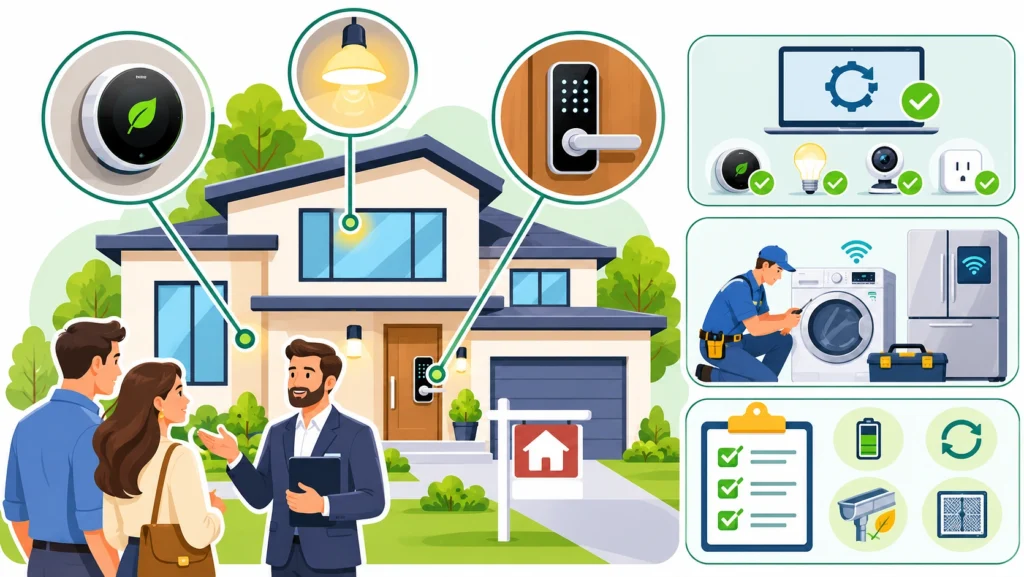
At a showing, buyers can see a smart thermostat on the hallway wall and test a keypad on the front door. A ceiling full of app-controlled bulbs is harder to show off. Local agents hear what buyers in their area ask about, so sellers working with Elizabeth, NJ, real estate experts Christian Cobo Group or another established team can find out before spending on upgrades. Buyers who are busy comparing neighborhoods before buying a home may well add utility costs to their list.
Reset every smart device to factory settings before closing. Remove each one from your apps, and leave the model numbers for the new owners so they can register the devices themselves.
Who To Call When A Smart Washer Or Fridge Stops Working
Under its Wi-Fi chip, a smart washer is still a washer, with a pump, a motor and seals that wear out. An ordinary appliance technician handles most breakdowns. Search for appliance repairs Adelaide, Atlanta or your own city, and ask the firm whether it works on connected models from your brand before you book.
Finally, put lock batteries and firmware checks on your preventative home maintenance list, alongside the gutters and the furnace filter.

